Developing Offline Mobile Apps with the Salesforce.com Mobile SDK SmartStore and SmartSync
http://www.slideshare.net/gersic/smartstore


 Read More

http://www.slideshare.net/gersic/smartstore
Read More
http://www.slideshare.net/gersic/monitor-your-car-from-the-cloud-diy-telematics-and-the-internet-of-things
Read More
http://www.slideshare.net/gersic/security-best-practices-for-mobile-development-dreamforce-2013
Read More
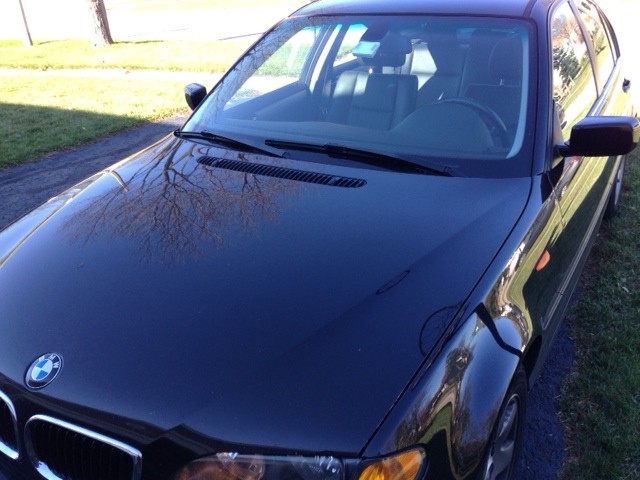 Say you’re driving down the road. You’re in the middle of nowhere, and your check engine light goes on. Is the engine about to blow up or did you just leave your gas cap a bit loose? Can you keep driving it until you have time to make an appointment at your dealership, or do you need to head in to the closest repair shop right now?
What if your car was connected to the Cloud, and had been logging sensor data for the past 30 days? What if it could automatically file a Case with your local dealership with the Diagnostic Trouble Codes from your car and all that log data attached? What if the Service department could give you a call to schedule an appointment to get it fixed, so you don’t even have to remember to call them? Since they have all the automotive log information they need to diagnose the problem before you even show up, they can even tell you what’s wrong over the phone and quote you an estimate for the repair.
Here’s a Raspberry Pi DIY project that does just that.
First off, start with the information in Connecting your Raspberry Pi to a Bluetooth OBD-II Adapter to get the basics set up. You’ll then need to install Node.js on your Raspberry Pi to run the scripts from https://github.com/tomgersic/obd2pi.
Both of these scripts run continuously on the Raspberry Pi. obd.js handles offline logging of OBD-II messages to the SD card, and obdsync.js handles pushing those messages up to the API hosted on Heroku.com.
Reads from an OBD-II adapter connected to a serial (/dev/rfcomm0) port and logs messages to a TingoDB Database. TingoDB is a lightweight file-base NoSQL database that implements the same function calls as MongoDB. So, you can think of it as a MongoDB database without needing to run a MongoDB Server.
Here’s a video showing the logger script running:
Started from the command line with “node obd.js”
Response mode 43 is a response to a mode “03” request for Diagnostic Trouble Codes that would cause the “Check Engine Light”, or Malfunction Indicator Lamp (MIL) to light up. Response mode 41 is a response to a “01” request for real-time sensor data. The PID indicates the hex code associated with the sensor being queried. 0D is the Vehicle Speed Sensor (vss), 0C shows current engine RPM, 05 is the coolant temperature, and 04 is a percentage value indicating current load on the engine. You can see in this sensor data that my car is basically idling at around 700 RPM, and speed (VSS) is 0.
{ mode: ’43’,
name: ‘requestdtc’,
value: { errors: [ ‘P0444’, ‘-‘, ‘-‘ ] } }
{ mode: ’41’, pid: ‘0D’, name: ‘vss’, value: 0 }
{ mode: ’41’, pid: ‘0C’, name: ‘rpm’, value: 715 }
{ mode: ’41’, pid: ’05’, name: ‘temp’, value: 60 }
{ mode: ’41’, pid: ’04’, name: ‘load_pct’, value: 5.46875 }
{ mode: ’43’,
name: ‘requestdtc’,
value: { errors: [ ‘P0444’, ‘-‘, ‘-‘ ] } }
{ mode: ’41’, pid: ‘0D’, name: ‘vss’, value: 0 }
{ mode: ’41’, pid: ‘0C’, name: ‘rpm’, value: 714 }
{ mode: ’41’, pid: ’05’, name: ‘temp’, value: 62 }
{ mode: ’41’, pid: ’04’, name: ‘load_pct’, value: 5.078125 }
{ mode: ’43’,
name: ‘requestdtc’,
value: { errors: [ ‘P0444’, ‘-‘, ‘-‘ ] } }
{ mode: ’41’, pid: ‘0D’, name: ‘vss’, value: 0 }
{ mode: ’41’, pid: ‘0C’, name: ‘rpm’, value: 715 }
{ mode: ’41’, pid: ’05’, name: ‘temp’, value: 63 }
{ mode: ’41’, pid: ’04’, name: ‘load_pct’, value: 4.6875 }
Node.js Script to send the logged OBD-II Messages from obd.js to Cloud API from Raspberry Pi.
API is [YOUR DOMAIN]/log/:json
Started from the command line with “node obdsync.js your.domain.here.com”
An example payload to the API would be something like this:
{ obddata: { mode: ’41’, pid: ’04’, name: ‘load_pct’, value: 10.9375 },
vin: ‘JF1BJ673XPH968228’,
localdatetime: Sun Nov 10 2013 17:23:10 GMT+0000 (UTC),
_id: 160 }
Logging information as the sync script pushes data up to the server:
Syncing… 3 records remain
{ obddata: { mode: ’41’, pid: ’04’, name: ‘load_pct’, value: 11.328125 },
vin: ‘JF1BJ673XPH968228′,
localdatetime: Sun Nov 10 2013 17:25:55 GMT+0000 (UTC),
_id: 180 }
200
success
Syncing… 2 records remain
{ obddata: { mode: ’43’, name: ‘requestdtc’, value: { errors: [Object] } },
vin: ‘JF1BJ673XPH968228′,
localdatetime: Sun Nov 10 2013 17:26:05 GMT+0000 (UTC),
_id: 181 }
200
success
Syncing… 1 records remain
{ obddata: { mode: ’41’, pid: ‘0D’, name: ‘vss’, value: 0 },
vin: ‘JF1BJ673XPH968228’,
localdatetime: Sun Nov 10 2013 17:26:10 GMT+0000 (UTC),
_id: 182 }
200
success
The missing piece, of course, is the code for the server API being hosted in Heroku. You can find that here: https://github.com/tomgersic/obd2server
Simple API to receive OBD-II Messages and log them in mongojs, with Diagnostic Trouble Codes (DTC) being uploaded as Cases to Salesforce.com.
Also contains a simple log viewing api at http://[SOMEDOMAINHERE.COM]/view/[VIN #]
This is intended for demo/POC purposes only. There’s literally no security here, so you’ll want to add some security measures if you’re going to use this in a production environment.
Example log GET request
http://[SOMEDOMAINHERE.COM]/log/{ obddata: { mode: ’41’, pid: ’04’, name: ‘load_pct’, value: 10.9375 },vin: ‘JF1BJ673XPH968228’,localdatetime: Sun Nov 10 2013 17:23:10 GMT+0000 (UTC),_id: 160 }
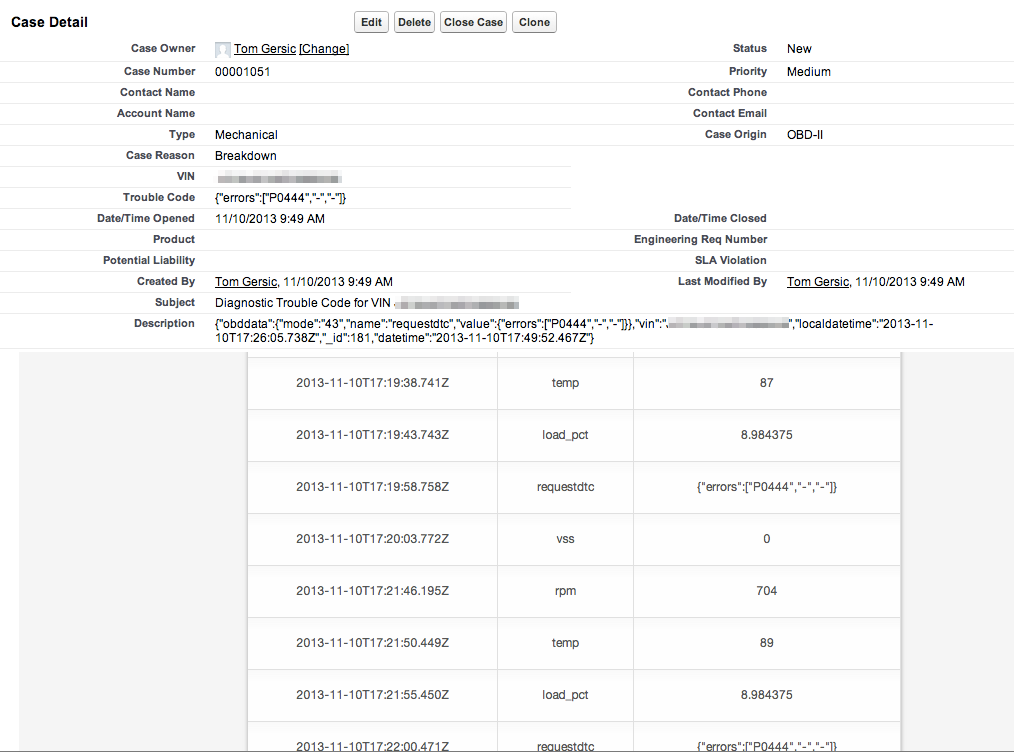
The server-side Logger API takes care of logging all messages in a MongoDB database, but if any Diagnostic Trouble Codes are created, it will also create a Case in Salesforce.com, thus completing the alert to the manufacturer or dealer that your car is experiencing a problem.
Want to learn more? I’ll be presenting this at Dreamforce 2013. Come see!

 Read More
Dreamforce is the biggest and best cloud computing conference, and this year’s will be the biggest Dreamforce ever. Here are the events and sessions that I’m leading. Come on out and say hi!
Security Best Practices for Mobile Development
Think the apps on your phone are secure because you use MDM? Are you developing a mobile app that requires enterprise grade security? Join me in the “Security Best Practices for Mobile Development” Session on Monday, November 18th: 10:00 AM – 10:45 AM in Moscone Center West, 2020.
In the enterprise, mobile devices and mobile apps need to be secure. A lost or stolen phone or tablet can mean your company data falling into the wrong hands. Join us to explore the security features available on iOS and Android. Learn how app data can be compromised and learn best practices for the development of secure enterprise apps on both platforms.
Security Best Practices for Mobile Development Repeat!
Same session, just later in the week.
Developing Offline Mobile Apps with Salesforce Mobile SDK SmartStore
Are you interested in developing offline-accessible mobile apps for Salesforce.com? In the 6 years since the original iPhone was released, Salesforce Services has developed more than 75 offline mobile apps for enterprise customers. Come learn from this experience in the session “Developing Offline Mobile Apps with Salesforce Mobile SDK SmartStore”. Sign up now!
At some point, all mobile app users lose their data signal. Join us to learn best-practices for coding for offline requirements with the salesforce.com Mobile SDK. We’ll develop a simple app using SmartStore offline storage, highlighting the new SmartSQL and SmartSync features. With these tools, you can take your mobile apps to the next level, developing native and hybrid applications on iOS and Android that have offline access to your data.
Monitor Your Car from the Cloud: DIY Telematics and the Internet of Things
All cars manufactured since 1996 have an OBD-II diagnostic interface. Join us to learn how to expose this data using a Heroku app and Force.com APIs, explore the data available, and be introduced to DIY products like the Arduino, Raspberry Pi, and Beagle Bone. We’ll finish by creating an automatic support-request and case-handling system.
Read More